What Does It Actually Cost to Run a Professional WordPress Website?
The real, itemized cost of running a professional WordPress site — and an honest explanation of how a management plan can come in at a fraction of the total.


Most people think of a website like a brochure: you design it, print it, and you're done. It's closer to a car. Nobody buys a car and then skips gas, oil changes, tires, and registration for five years and expects it to start on the first try.
This hub collects everything I've written about keeping a WordPress site healthy after launch. Somebody has to do this work. Whether that somebody is you or me is the only real decision.
On this page
Hosting, updates, backups, security, and support — handled.
When people hear "maintenance" they usually picture updating a few plugins. That's part of it, but the job breaks into three buckets: hosting (where the site lives and how reliable that is), monitoring (security, backups, uptime, and errors — most of which can be automated once set up), and updates (WordPress core, your theme, every plugin, and the licenses that keep the premium ones patched).
If you're going to handle your own site, start with the guide below. It's the closest thing I have to a checklist.

Learn how to care for and maintain your WordPress website and ensure it's security and long-term success for your business.
A client once asked me to match a competitor's $500/year hosting offer. I didn't fault them for asking, but hosting is one line item out of fourteen. Comparing a hosting bill to a management plan is comparing an apple to the whole fruit basket.
So I itemized it — every tool and every hour of labor a professionally maintained site needs, priced at retail. It comes to a little over $4,400 a year. Then I explain, without any hand-waving, how I can offer the same list for $99/month.
The real, itemized cost of running a professional WordPress site — and an honest explanation of how a management plan can come in at a fraction of the total.
If you want the shorter version, this one lays the DIY path and the done-for-you path side by side: what each piece costs, how much of your time it takes, and what you're actually signing up for either way.

Websites need ongoing care. Learn what it takes to manage one yourself — and how it compares to having it done for you.
Here's the frustrating part about updates: they're necessary and they're the thing most likely to take your site down. Skipping them is the number one reason WordPress sites get hacked. Clicking "Update All" and walking away is the number one reason they go blank.

WordPress plugin and theme updates are necessary — but clicking "update all" without a plan is one of the most common ways websites break. Here's what can go wrong, and how to make sure it doesn't happen to you.
The reason those updates keep coming is that your site is built on software from hundreds of independent developers, and the premium pieces only stay patched while they're licensed. Updates are like the tide: they come in, you deal with them, they come in again.
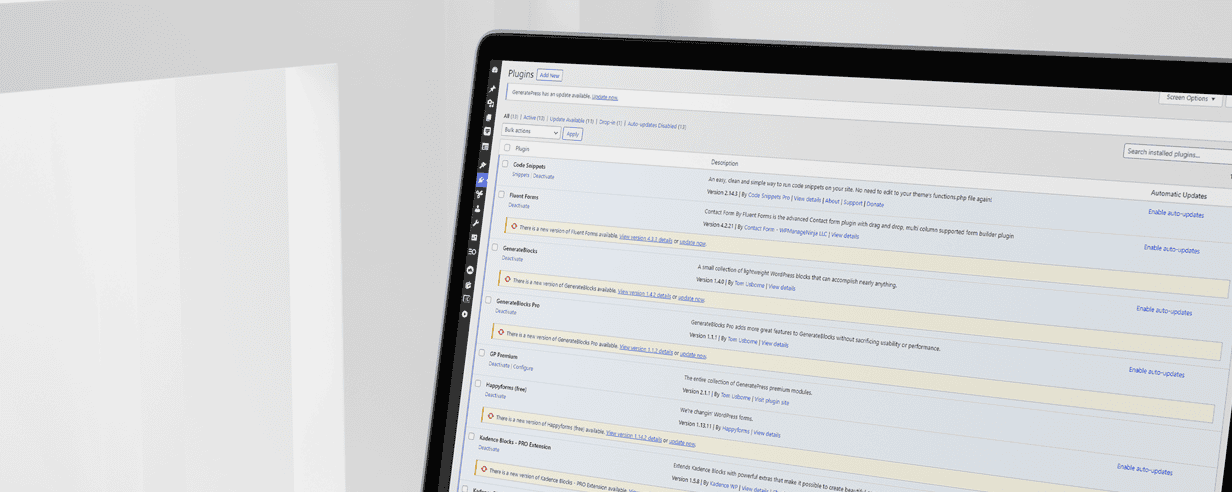
Your WordPress website runs on a boundless ecosystem of plugin and theme software. When you ignore those software updates, you’re putting your site at risk.
Everything above assumes you have a restore point. If you don't, a broken update, a hack, or a hosting failure isn't an inconvenience — it's starting over.
Your host keeps a backup. That backup is useless if the problem is the host. A few years ago an entire data center burned down and took its customers' backups with it. That's why I keep a second, off-site copy of every site I manage.

While that may seem like overkill, having plenty of redundant backups is critical to the successful management of any website.
Hackers aren't targeting you. They're running bots against every WordPress site that exists, and without application-level security it's only a matter of time. But there's a second kind of attack that doesn't need software at all.
Once your site is live, your inbox fills with emails claiming your site has errors, your rankings are tanking, or someone would love to "fix it" for you. Never hand over your login or hosting credentials to someone who emailed you first. That's inviting the burglar in.

Protect your website from scam emails! Learn how to identify common red flags like poor English, vague error claims, and phishing attempts. Discover what scammers want and essential tips on what to do (and what not to do) to keep your site secure.
Care isn't only about keeping things from breaking. It's also knowing whether the site is doing its job — whether more people are finding it, where they come from, and whether they're contacting you.
I moved every client I manage off Google Analytics years ago. Free analytics is paid for with your visitors' data, it's blocked by a huge share of browsers, and the GA4 migration proved what it means to build on someone else's roadmap. Every site I build ships with Fathom instead.

Why I'm moving to a privacy-focused solution (and you should too).

Fathom Analytics is a guilt-free Google Analytics alternative that complies with data privacy laws. Here’s how to use Fathom’s web analytics and metrics.
Everything on this page is doable by a motivated owner. It's a few hours a month, some subscriptions, and the discipline to keep doing it when things get busy. Plenty of people do exactly that, and I'd rather you do it well than not at all.
The other option is that I do it. My Website Management plan covers hosting, licenses, weekly tested updates, off-site backups, security, monitoring, analytics, unlimited email support, and three 30-minute tasks a month, for $99/month, month-to-month. The only thing you have to do is send an email.
If you're not sure what shape your site is in right now, a Website Tune-Up is the place to start. I'll look at what you've got, fix what's lingering, and tell you honestly what it needs.
If you only read three things, read these. They cover the money, the decision, and the checklist.
The real, itemized cost of running a professional WordPress site — and an honest explanation of how a management plan can come in at a fraction of the total.
Websites need ongoing care. Learn what it takes to manage one yourself — and how it compares to having it done for you.
Learn how to care for and maintain your WordPress website and ensure it's security and long-term success for your business.

Nine articles, grouped by what they help you with.
How much does a website cost? Find out in minutes.
Get a Free Instant Estimate
CSSDA Award Winning Agency in UX, UI, & Innovation



© 2016 - 2026 OGAL Web Design. All rights reserved.